
” Is the frequency of printhead damage skyrocketing?” Recently, there have been frequent cases of printhead damage, ink clogging, and ink breakage in social circles. What’s more, some bosses report that printhead worth tens of thousands of RMB are ruined in no time, leaving them devastated. What exactly is going on? After investigations from various sources, it turns out that the problem lies in temperature.
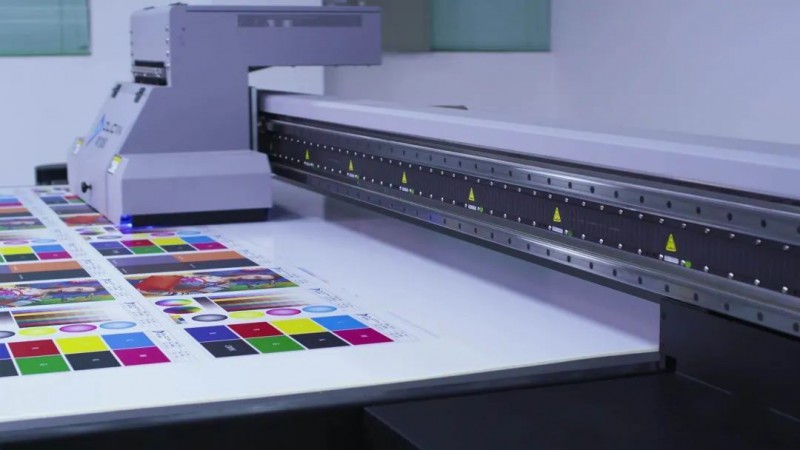
Heat peaks in the dog days, and there’s a final heat wave after autumn.
As the saying goes, “Heat peaks in the dog days, and there’s a final heat wave after autumn.” Although the Beginning of Autumn has passed, the maximum temperature in most areas of our province remains above 37°C, and extreme high temperatures of over 40°C are even “testing the waters”.
Judging from the climate in previous years, Hubei will not really enter the climatic autumn until late September to early October. It is expected that from early to mid-August, our province will continue to be extremely hot, with “baking” during the day and “steaming” at night, which will not stop.
While high-temperature weather continues to prevail, many enterprises have not controlled the temperature and humidity in their workshops.
According to various sources, printheads generally need to be kept at a temperature below 30°C and a humidity of around 60%. Now, when the average temperature is far above 30°C, if the machine is allowed to run for a long time in a high-temperature and hot environment, it will not only affect the printheads but also easily cause the control boards to overheat, affecting printing performance.
In particular, as the price of printheads has continued to rise recently, it is necessary to remind all those in the printing industry to use them with care.
Therefore, in the “autumn tiger” weather with temperatures above 30°C, it is undoubtedly the most difficult time for printing equipment and printheads. Therefore, when using digital printing machines during the transition from summer to autumn, the following items must be noted:
-
The optimal room temperature for using printing machines is around 15°C to 29°C. At a time when daily temperatures are hitting new highs, cooling methods such as fans and air conditioners must not be removed early. The autumn heat has not passed, and cooling must continue. At the same time, once abnormal heat dissipation of the printing machine is found, the machine must be shut down in time for adjustment.
-
More machines need to be turned on in hot weather. Here, it is reminded that printing factories that have done a good job in indoor cooling should try not to plug all plugs into one power strip to avoid unnecessary dangers. Printing machines and computers can be equipped with one power strip, and temperature control equipment such as air conditioners and fans can be equipped with another power strip. Remember not to mix the plugs of machines.
-
When the first autumn rain has not fallen, autumn is drier than summer. Here, it is reminded that attention should be paid to static electricity and dry ink. Sprinkle water on the ground from time to time to keep the indoor air from being dry, and prevent static electricity through ground wires early.
-
After the first autumn rain, the dry climate in the north is alleviated, while the southern region may directly turn to a humid climate. Excessive dryness will damage the printhead, while excessive humidity will affect the color of the finished product and cause adhesion when winding because the printing ink cannot dry in time. It is recommended to use cold fans and dehumidifiers to solve this problem.
-
In order to avoid all the above problems, it is best to equip temperature and humidity monitoring instruments in the factory, check and adjust at any time, and prevent damage to the printhead, circuit boards, and components from being eroded by moisture.
How to cool the printing workshop?
The following methods have their own advantages and disadvantages, and can be used for reference according to specific situations:
Cooling fan/environmental protection air conditioner scheme
The number of cooling fans can be calculated according to the area of your factory building (calculated as 1 unit / 150㎡). The number of air supply outlets should be reasonably designed, with an average interval of 1-2m.
Cooling unit scheme
The cooling unit is suitable for enterprises that cannot install cooling fans due to no available space or the load-bearing wall cannot bear the weight, and those that need both cooling and heating.
2_conew1
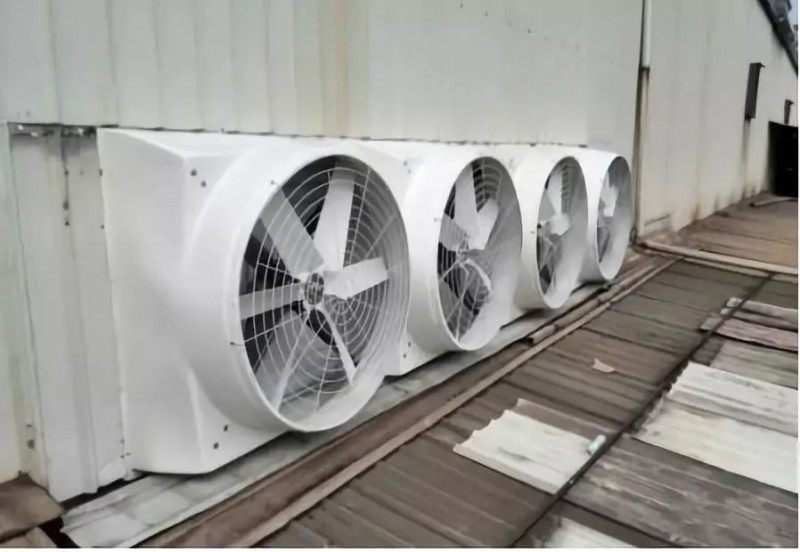
Industrial exhaust fan scheme
The working principle of this scheme is to exhaust the high-temperature, odorous, and smoky air indoors, and at the same time replace it with outdoor natural air. This has the advantage of ventilation and exhaust.

Printhead maintenance methods
The printhead is the most critical wearing part and is also very expensive. In the high temperature of summer, it can be maintained from the following aspects:
- The software parameter settings: the curing lamp parameters are set normally, and controlled according to needs, turning on and off at the edges.
- Perform regular ink pressing maintenance every day. When you feel that the ink on the surface of the printhead cannot be wiped off, immediately wipe it with a cleaning solution to keep it moist. The higher the precision of the printhead, the more attention should be paid to maintenance.
- Use original ink or specified ink to reduce the risk of problems.
- After turning on the UV flatbed printer every day, be sure to print a test strip to check if the printhead is clogged. In summer, the temperature is too high, which makes the ink easy to dry.
- The UV lamp power can be adjusted appropriately according to the printing material and printing speed, ranging from 50% to 100%. For printing reflective materials, you can change to single-sided irradiation and lower the lamp power to meet the curing requirements.
- The machine must be safely grounded. In case of thunderstorms, turn off the printer and do not operate it.
- When printing materials with static electricity, the static electricity must be removed (wipe with water or alcohol). If necessary, install a static eliminator. When printing magnetic materials, the magnetism must be removed; otherwise, stop printing immediately.
- It should be noted that the static eliminator must be turned off when printing metal plates.
The article is reprinted from this webpage: http://www.inknet.cn/