
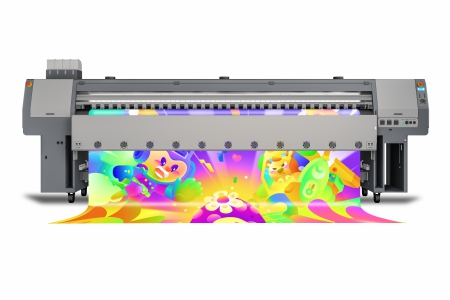
Many customers who purchase UV printers often encounter nozzle clogging or damage because they are not familiar with the maintenance methods for UV printer nozzles. As we all know, the best way to keep the nozzles in optimal working condition is to perform appropriate and effective daily maintenance on them every day, which will greatly reduce the possibility of nozzle clogging.
I. Maintenance of the nozzles after equipment installation and in the initial stage of operation
- To get the nozzles into the best operating state, before the UV printer officially starts undertaking production tasks, please spend 1-2 days printing as many images as possible. It is best that the images use all 4 CMYK colors, and add C, M, Y, K color bars on both sides of the images to ensure that all 4 nozzles are always in the ink-jetting state.
- When printing, it is best to take out the moisturizing sponge in the cleaning station at the far right end together with its bracket.
II. How to maintain the nozzles after daily work
After all printing tasks are completed every day, to keep the nozzles in optimal working condition and avoid nozzle clogging due to the volatilization of UV ink, please maintain the nozzles according to the following methods before leaving the equipment overnight:
- Turn off the power of the UV flatbed printer.
- First, clean the moisturizing sponge with a special cleaning solution, then pour the cleaning solution on the sponge to moisten it.
- Move the machine head back to the cleaning station at the far right end and make the nozzles closely contact with the moisturizing sponge.
- Keep this state and leave the equipment overnight.
III. Treatment methods for slight nozzle clogging
- If slight clogging of the nozzles is found during printing, without hesitation press the PAUSE key to pause the printing operation. Then, use a syringe or a manual air pump to force ink out of the nozzles for cleaning. After cleaning, use a plastic squeeze bottle to spray some cleaning solution on the surface of the nozzles to wash away residual ink.
Note: Do not apply excessive force when using a manual air pump, otherwise the nozzles may be damaged due to excessive pressure. - Timely, decisive and thorough handling of slight nozzle clogging is very important for maintaining the optimal working state of the nozzles during long-term printing!
- In addition, it is also necessary to carefully check the condition of the nozzles and find out the cause of nozzle clogging.
IV. Treatment methods when the equipment is expected to be out of use for more than 48 hours
If the equipment is expected to be out of use for more than 48 hours, the ink
in the nozzles must be cleaned thoroughly. Otherwise, the ink in the nozzles will
dry and solidify due to the gradual volatilization of solvents, and in severe cases,
it may even cause irreversible damage to the nozzles. The treatment methods are
as follows:
in the nozzles must be cleaned thoroughly. Otherwise, the ink in the nozzles will
dry and solidify due to the gradual volatilization of solvents, and in severe cases,
it may even cause irreversible damage to the nozzles. The treatment methods are
as follows:
- Turn off the power of the UV flatbed printer.
- Move the machine head to the cleaning position at the far left end, and place a corrosion-resistant container under the nozzles to hold the cleaning waste liquid.
- Use a glass syringe to extract or directly pour out the ink in the waste ink tank, then clean the waste ink tank with a special cleaning solution.
- Unplug the ink supply tube on the nozzle, then use a glass syringe to extract 40ml of special cleaning solution to clean the nozzle, and repeat this twice. Finally, do not blow out the residual cleaning solution in the nozzle; be sure to leave enough cleaning solution inside the nozzle, as the cleaning solution can moisturize the nozzles.
- Put the treated nozzle into a clean corrosion-resistant container, seal it (plastic wrap works well), and it can be stored for about 1 month.